
LDARtools
  • Home
  • Hardware
    • phx42
      • phx42 Safety Certificates
      • phx42 vs TVA2020
      • FAQs (LDAR Use)
    • phx42 Zero Oxygen Mode
    • SpanBox5
  • Software
    • Chateau Info
      • Chateau vs. SkyBridge
    • Chateau Login
    • SkyRoute
    • Legacy Software
  • Methane Emission Reductions
  • Shop
  • Blog
  • Support
    • Knowledge Base
    • phxApp Credentials
    • Customer Portal
    • Online Training
  • Reviews
  • About Us
    • Quality & Information Security
    • Privacy Policy
    • Our Team
    • Milestones
    • Customers
    • Core Values
    • Careers
  • Contact Us
  • Menu Menu

Refreshed: The LDARtools phx21 Refresher Project update!
Uncategorized

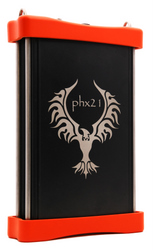
First off, we’d like to thank everybody who’s taken the phx21 Refresher Course in the past three weeks since we’ve launched the project. We have 41 people (from 30 different LDAR sites) who’ve completed the Questionnaire but we want more of our LDAR industry friends to join in the fun.

If you want to take the phx21 Refresher Course, please ask your supervisor for their approval, then follow these steps that we sent out a few weeks back:

The phx21 Refresher Award Project is designed to award $25 Gift Cards to our phx21 friends who agree with us about the best way to manage their phx21s.

To participate in the project, you will need to create an account and log onto our training website. We want to make sure that you can join in the fun.

To register on our Training website (Litmos) and answer the Questionnaire there:

Note: We recommend completing the questionnaire on your computer. Smart phones (especially older ones) may experience long load times without a strong and stable Internet connection.

1. Go to http://ldartools.litmos.com/online-courses.
2. Click The phx21 Refresher Award Project, then Click Add to cart.
3. Type your first name, last name, and your email address (twice), then click Check Out.
You will receive an email with a link to the course.
4. Go to your email, click the link, complete the relevant fields, then click Continue.
5. On a computer: Click The phx21 Refresher Award Project,
click Start this course, then click Start.On mobile: Click The phx21 Refresher Award Project twice, then click Start.
6. Complete the test by following the instructions on the screen.
We’ll send the gift card to your address after the survey is done.
Congratulations and Thank you!

Again, we’d like you to have as much fun as possible. If you have any questions or concerns, please email phx21refresher@ldartools.com.

Thank you for all your support, good luck and have fun!

September 15, 2015/0 Comments/by John Melegrito
Share this entry
  • Share on Facebook
  • Share on LinkedIn
  • Share by Mail
https://ldartools.com/wp-content/uploads/2017/04/phx21-2-153x250-resized-206.png 250 153 John Melegrito https://ldartools.com/wp-content/uploads/2024/02/LDARtoolsLogo-300x84.png John Melegrito2015-09-15 16:17:542020-01-09 17:54:30Refreshed: The LDARtools phx21 Refresher Project update!
0 replies

Leave a Reply

Want to join the discussion?
Feel free to contribute!

Leave a Reply

You must be logged in to post a comment.

This site uses Akismet to reduce spam. Learn how your comment data is processed.

FOLLOW THE LDARtools BLOG

Get the latest industry news and insights from LDARtools delivered to your inbox.

Quality & Information Security

LDARtools

1102 Dickinson Ave.
Dickinson, Texas 77539
USA

Telephone: +1 (877) 788-1110
Fax: +1 (866) 385-9142

Hours of Operation

Mo-Th: 8:00AM – 5:00PM
Fr: 8:00AM – 3:00PM

After Hours: By Appointment

© 2026 LDARtools. All rights reserved.

Link to: Introducing: The phx21 Refresher Award Project! Link to: Introducing: The phx21 Refresher Award Project! Introducing: The phx21 Refresher Award Project! Link to: LDARtools Software Support: We are here to help! Link to: LDARtools Software Support: We are here to help! LDARtools Software Support: We are here to help!
Scroll to top Scroll to top Scroll to top